
How to Get a QR Code for an Airtel eSIM (And When Airtel Won't Give You One)
How to get a QR code for an Airtel eSIM by SMS to 121, why the in-app EID route issues no code, the 24-hour OTP bar, and what to do when the code never arrives.
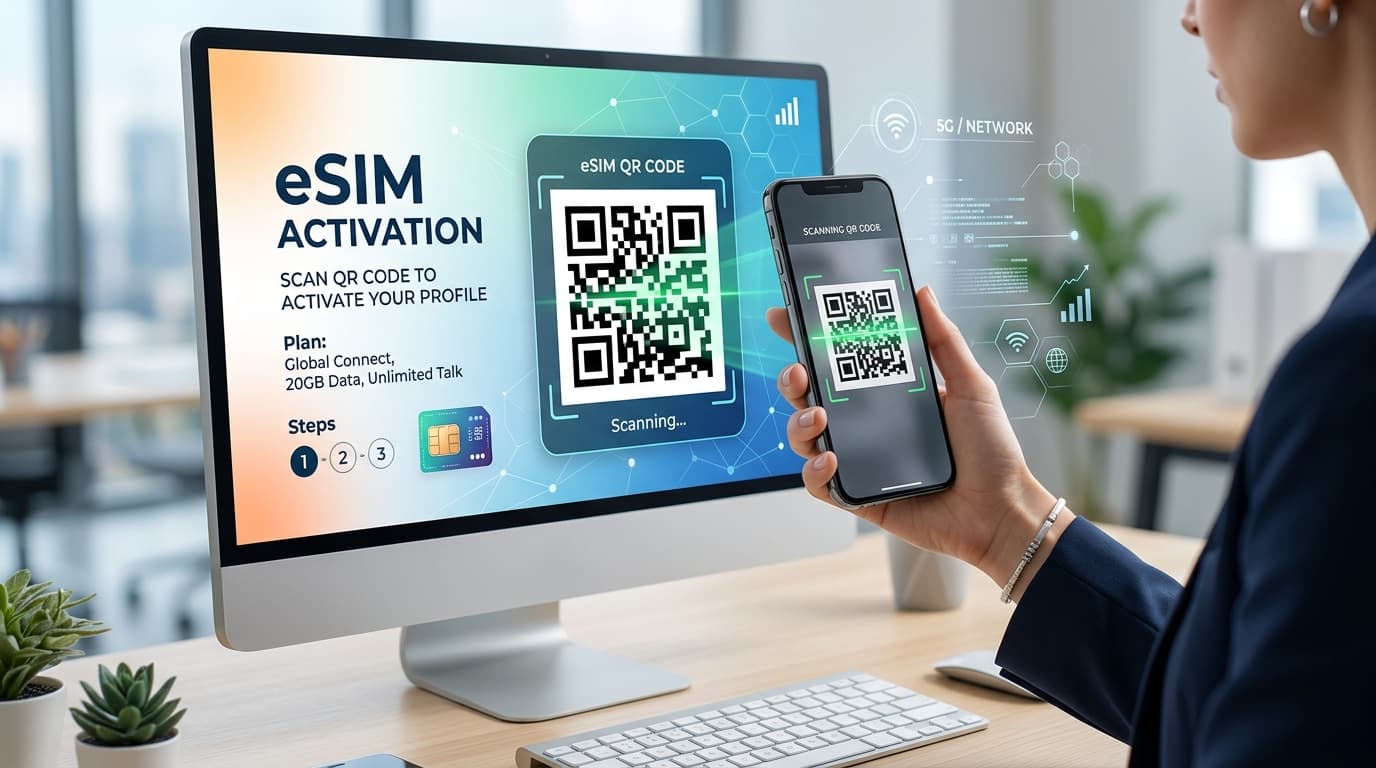
Here is the part no guide tells you: Airtel's own eSIM page doesn't mention a QR code anywhere. Open airtel.in/esim today and the process it walks you through asks for your device's 32-digit EID, sends an OTP, puts you on a verification call, and never once asks you to scan anything. Yet half the internet is still telling you to wait for a code in your inbox.
Both things are true. Airtel runs two separate routes onto an eSIM, and only one of them ends in a QR code. Which route you land on decides whether you're scanning a square in your email or typing a long number into an app — and nobody explains the fork, which is why so many people sit refreshing an inbox for a message that was never going to arrive. This guide covers both, the exact messages and numbers involved, what the official pages get wrong about each other, and the failure that can leave you with no working number at all.
How to Get a QR Code for an Airtel eSIM: Two Routes, One Fork
Everything depends on whether Airtel captures your EID during the request.
| Method | SMS Route | In-App Route |
|---|---|---|
| How you start | Text 121 from your Airtel number | Airtel Thanks app, "upgrade to eSIM" |
| What Airtel asks for | Your registered email | Your device's 32-digit EID |
| What you get | A QR code by email | Nothing to scan |
| How you install | Scan the code | Device downloads the profile directly |
| Best for | Moving to a different phone, non-Apple devices | Converting on the phone you're holding |
A user on r/Airtel put the rule more plainly than Airtel ever has: if you added the eSIM with the EID, you add it from Settings; if you didn't enter an EID, you get the QR code. That single sentence resolves most of the confusion on this topic.
So if you specifically want the QR code, use the SMS route and do not enter an EID.
Before You Start: Check These Three Things
1. Does your phone actually support eSIM?
Airtel's position is that any eSIM-capable device works. The quickest test is to dial *#06#. If your phone returns an EID alongside the IMEI, it has an eSIM. No EID, no eSIM, and no amount of texting 121 will change that.
You'll also find the EID under About phone or Status in settings, depending on the manufacturer.
2. Is the email on your account the one you still use?
The QR code goes to your registered email address, not to whichever address you type most often. If that address is dead, abandoned, or belonged to a previous job, the code goes into a mailbox you can't open and the request still counts as fulfilled. Airtel's system replies to an invalid address with instructions for updating it, but an address that is merely old is still technically valid — and that is the version that strands people.
Check and fix this before you start, not after.
3. Will you be in India for the next few hours?
Treat this as a hard requirement rather than a convenience. The reason is explained in the next section.
The Risk Nobody Puts in Their Guide
On Reddit's Airtel community, the same account of the process going wrong appears over and over: the old eSIM deactivates, and the QR code never arrives.
One user had their eSIM cut off while in the UK, with no email. Another the same in Canada, having completed an IVRS authentication from abroad. A third described raising tickets through both the app and email, getting nowhere, and eventually asking their parents to walk into an Airtel store in India to collect a duplicate physical SIM on their behalf. Another was told the matter had gone to a backend team and to wait twelve hours.
The common thread is that the old profile stops working before the replacement exists, and the recovery path runs through a physical store in India. If you're outside the country when this happens, you have no number, no SMS, and no way to receive the OTPs that would let you authenticate yourself to anyone — including your bank.
This is not a reason to avoid eSIM. It is a reason to pick your moment.
Getting the QR Code by SMS
This is the route that produces an actual code.
The message
From the Airtel number you want to convert, text:
eSIM<space>registered email id
to 121. Use the email address attached to the account, not a different one.
The 60-second reply
Airtel validates the address and texts back. You reply 1 to confirm, and you have about sixty seconds to do it. Miss the window and the request lapses — not a disaster, but you start again from the top.
If the address on file is invalid, 121 responds with instructions for correcting it rather than proceeding.
The consent call
After the email check, Airtel calls you to confirm verbally that you asked for this. On the in-app route the call lands roughly ten minutes after the request; on the SMS route the timing is less predictable.
Do not miss this call. An unanswered consent call cancels the request outright. If you're going to be in a meeting, start the process afterwards.
When the code arrives
Once consent is recorded, a final SMS tells you the QR code has gone to your registered email. Scan it promptly — the longer you leave a pending profile, the more chances there are for the request to time out at Airtel's end.
Activation takes around two hours after you scan. Your physical SIM keeps working throughout, which is the one genuinely reassuring part of the process.
Why Airtel's Own Pages Disagree About the Order
Worth knowing, because following the wrong page will have you waiting for the wrong thing.
Airtel's postpaid guide puts consent before the code: validate email, reply 1, take the consent call, then receive the QR. Airtel's older prepaid article reverses two of those steps — reply 1, receive the QR, then get a call asking for consent.
The postpaid sequence is the one to trust. The prepaid article dates from 2022, and consent-before-provisioning is both the newer pattern and the one that matches how the in-app route behaves today.
Why it matters practically: if you're following the prepaid article, you'll expect the email first and may assume the process has failed when a call comes instead. It hasn't. Take the call.
The In-App Route, and Why There's No Code at All
If you're converting on the same phone you're holding, the app route is faster and skips email entirely.
In the Airtel Thanks app: sign in with the number you're converting, open the shortcuts on the home screen, tap upgrade to eSIM, and choose whether the eSIM is for this device or another one. Enter the 32-digit EID, verify the OTP, and wait for the verification call about ten minutes later.
The four-hour window
Once the request is approved, you have four hours to set up the profile. Past that, the request auto-cancels and you start over. Your physical SIM stays active in the meantime, so a lapsed request costs you time rather than service.
After the profile downloads, activation takes up to two hours.
Why this route has no QR code
Because the EID already identifies the exact device. A QR code exists to carry provisioning details to a phone the network can't otherwise identify — once Airtel has the EID, it pushes the profile straight to that hardware. Nothing to scan, nothing to email, nothing to lose in a spam folder.
That makes the app route more reliable and less flexible: it can only deliver to the device whose EID you entered.
Scanning the Code on iPhone
Open Settings → Mobile Data → Add Data Plan, point the camera at the QR code in your email, and label the plan when prompted.
Finish the whole flow in one sitting. Abandoning it halfway leaves a partial profile that can block a retry.
If both phones are iPhones and you're moving a working eSIM rather than converting a physical SIM, there's a better method covered further down.
Scanning the Code on Android
Most guides stop at iPhone. Android is where the menu paths diverge, so expect the wording to differ from your handset.
On Samsung: Connections → SIM Card Manager → Add Mobile Plan → Add using QR code.
On most other Android builds, the path runs through Settings → Network and Internet → Mobile Network → Add carrier or a plus icon beside the SIM entries, then the scanner.
Three things that help on Android:
- Be on Wi-Fi: The profile downloads over the internet, and you may be doing this with no mobile data on the new device.
- Open the email on another screen: You're scanning with the phone that's receiving the eSIM, so the code needs to be displayed somewhere else — a laptop, a tablet, or the old phone. Trying to scan a code displayed on the same device you're scanning with is the most common avoidable failure here.
- Don't tap Delete: If anything looks stuck, resist the delete option in eSIM settings. It removes the profile permanently.
After It Activates: The 24-Hour OTP Blackout
This is the single most useful fact about Airtel eSIM conversion, and it appears on no page currently ranking for it.
For a full day you cannot receive a banking OTP, a UPI verification, a login code, or a delivery confirmation. If you convert on the morning of a day you need to make a payment, authorise a transfer, or log into anything protected by SMS two-factor authentication, you have created a problem for yourself.
Plan around it. Convert on a quiet evening or weekend, not right before a critical workday that depends on your phone receiving security codes.
Two other post-activation rules from Airtel:
- Never tap delete in your eSIM settings. It removes the eSIM and kills calls and data immediately.
- Don't share your EID with anyone.
The QR Code Never Arrived — What Actually Works
Check spam first, then give it a reasonable window. Beyond that, here is the resolution ladder.
Cancel the request with the right code
Get this wrong and the request stays open. The codes differ by account type, and much of the advice online gives only one of them:
| Account Type | Cancellation Message | Send to |
|---|---|---|
| Prepaid (Andhra Pradesh, Tamil Nadu, Kerala, Karnataka, Telangana) | NESIM | 52212 |
| Prepaid (Rest of India) | NESIM | 51619 |
| Postpaid (All India) | NOSIM | 121 |
A widely syndicated guide tells every reader to send NOSIM to 121 if the code hasn't arrived within thirty minutes. For a prepaid customer that is the wrong keyword to the wrong number, and nothing gets cancelled.
The command users found that Airtel doesn't document
Several people in the r/Airtel thread report that when the Thanks app route failed to deliver a code, texting ESIMQR <registered email> produced one within minutes. The original poster used it to move an eSIM from an iPhone to an Android handset after two days of failed attempts, then repeated the advice twice to others in the thread.
Two honest caveats: this command appears in none of Airtel's published documentation. And three separate people in that same thread ask which number to send it to, and none of them ever gets an answer — so treat 121 as the sensible first attempt, since it's the number Airtel uses for every other eSIM command, and fall back to the documented route if it doesn't respond.
It's a community workaround, not an official procedure. But several people say it unblocked them when official channels stalled.
Reaching a human who can actually see your request
Generic customer care tends to loop. One user posted the chat path that got them to the right queue inside the Airtel Thanks app:
Airtel Chat → More → Sim/e-sim/SMS related query → Sim or eSIM related query → select prepaid or postpaid → eSIM related query → Transfer SIM to new device → Proceed.
If you're having eSIM trouble while roaming internationally, Airtel publishes +91 99100 99100 for emergency support.
If your old eSIM is already dead
At that point the SMS routes are closed to you, because they require a working number. You need either the Thanks app over Wi-Fi, or someone who can visit an Airtel store in India on your behalf with ID. Expect to be asked for your EID.
Moving an eSIM to a New Phone
A transfer is a fresh request, not a copy. Airtel issues a new QR code; the old profile doesn't move by itself.
iPhone to iPhone
Skip the QR code entirely. On iOS 16 or later, with an iPhone XS or newer, both phones can hand the profile between themselves:
- Put both iPhones on Wi-Fi, turn Bluetooth on, and keep them close together.
- On the new iPhone: Settings → Mobile Service → Add eSIM → Transfer from nearby phone.
- Type the verification code shown on the new iPhone into the old one.
- Confirm the transfer on the old iPhone.
- Finish setup on the new one.
The eSIM activates on the new iPhone and deactivates on the old. This came from Airtel's own support system and users confirm it works on postpaid without a roaming plan.
iPhone to Android, or cross-platform
No nearby transfer exists across operating systems, so you're back to the QR route: text 121, take the consent call, and scan the emailed code on the Android phone. This is precisely the journey that generated the Reddit community discussions.
Which EID do you enter?
The new phone's. The EID identifies the device that will receive the profile. Entering the old phone's EID provisions the eSIM right back onto the handset you're trying to leave.
New Connections, and Going Back to a Physical SIM
Not every path runs through SMS:
- A brand-new Airtel connection as an eSIM means a store visit with identity proof (Aadhaar).
- Porting in from another operator takes 4 to 15 days depending on your circle, and you should get an eSIM notification within 24 hours of the port completing.
- Reverting to a physical SIM also means a store visit. There is no in-app downgrade.
- Lost the device holding your eSIM? Physical store visit with ID.
- Smartwatches: Apple Watch Cellular and Samsung Galaxy Watch can share an existing Airtel postpaid number on eligible plans with no separate subscription charge. They work on national roaming but not international, one watch per number.
What Kills an eSIM
A short list of actions that leave you recoverable only through a physical store:
- Tapping delete in eSIM settings. Permanent. Calls and data stop immediately.
- Abandoning setup midway after scanning. Finish the carrier-adding flow completely.
- Missing the consent call. Cancels the request.
- Letting the four-hour window lapse on the app route.
- Sharing your EID. Airtel explicitly warns against it.
- Converting while abroad. Local recovery becomes impossible without physical intervention in India.
Why QR Codes Fail to Scan at All
Sometimes the code arrives and simply won't read. Before assuming Airtel sent a broken profile, rule out the ordinary optical causes — most scan failures have nothing to do with the carrier:
- The code is too small on screen: Zoom the email until the code fills a generous portion of the display.
- Screen glare: Tilt the display rather than moving the camera closer.
- No quiet zone: If the code has been cropped tight or pasted into a document, the scanner loses the frame.
- Low contrast: A code rendered on a dark email theme can defeat the camera. Switch to light mode.
- Too close: Most phone cameras need 15 to 20 cm to lock focus properly.
We put together a fuller checklist on why codes fail in the wild: read our guide on QR codes that actually scan. And if you ever need to produce clean, scannable codes yourself, our free QR code generator exports high-resolution PNG and SVG formats with adjustable error correction and no watermarks.
Frequently Asked Questions
How do I get the QR code for my Airtel eSIM?
Text eSIM<space>your registered email id to 121 from your Airtel number, reply 1 within sixty seconds, take the consent call, and the code arrives at your registered email. Scan it within two hours and the profile activates. If you use the Airtel Thanks app instead and enter your device's EID, no QR code is issued — the profile downloads directly to your device.
Why has my Airtel eSIM QR code not arrived?
Most often the registered email is wrong or no longer in use, or the consent call was missed, which cancels the request. Check your spam folder, then cancel properly before retrying: prepaid customers text NESIM to 52212 in Andhra Pradesh, Tamil Nadu, Kerala, Karnataka and Telangana or to 51619 elsewhere; postpaid customers text NOSIM to 121. Users also report that texting ESIMQR <registered email> produces a code when the app route fails.
How do I text ESIMQR from a phone with no SIM in it?
You don't. Any SMS command must be sent from the number being converted, on a device where that number still works — normally the old phone. This catches people out on cross-platform transfers because the instinct is to do everything from the new handset.
Do I enter the EID of the new phone or the old one?
The new phone. The EID tells Airtel which device should receive the profile.
Will my number stop working during the switch?
It shouldn't. The physical SIM stays active until the eSIM is live. The critical failure case worth knowing is that several users report the old eSIM deactivating before the new code arrived, which is why converting while outside India carries substantial risk.
Can I get an Airtel eSIM QR code without visiting a store?
For an existing number, yes — the SMS and in-app routes are both fully remote. A brand-new connection, a return to a physical SIM, or a lost eSIM device all require an in-person store visit with ID.
Why can't I receive OTPs after switching to eSIM?
SMS is barred for 24 hours after the conversion completes. Calls and mobile data work normally, but text messages — including banking and login OTPs — won't arrive until the block lifts. Plan the switch for a day when you do not need them.
How long does Airtel eSIM activation take?
About two hours after the profile is downloaded or the code is scanned. The in-app route adds a four-hour deadline to complete setup before the request auto-cancels.
Can I move my Airtel eSIM between an iPhone and an Android phone?
Yes, but only by QR code — the direct nearby transfer is iPhone-to-iPhone and requires iOS 16 with an iPhone XS or newer. Cross-platform transfer means requesting a fresh code by SMS to 121 and scanning it on the new device.
Sources
Related reading
How to Generate a UPI QR Code
How to generate a UPI QR code from your UPI ID, with a fixed amount, in BHIM, or for a current account, plus the settings that decide whether it works in every app.
The Uitly Team
How to Scan a Snapseed QR Code (and How to Open Gallery Codes)
How to scan a Snapseed QR code, including the long press gallery workaround, saving looks, creating your own, and why a scanned look looks different on your photo.
The Uitly Team
How to Scan a Cadbury Celebrations QR Code (and What It Will Actually Do)
How to scan a Cadbury Celebrations QR code, what each campaign code does, why there is no prize code inside the box, and how to tell if a campaign is still live.
The Uitly Team