
How to Scan an IPPB QR Code: Every Code, Every Method, What Actually Works
How to scan an IPPB QR code: what the QR card is, who scans it, how OTP and OVD authentication works, and how to scan and pay from an IPPB account.
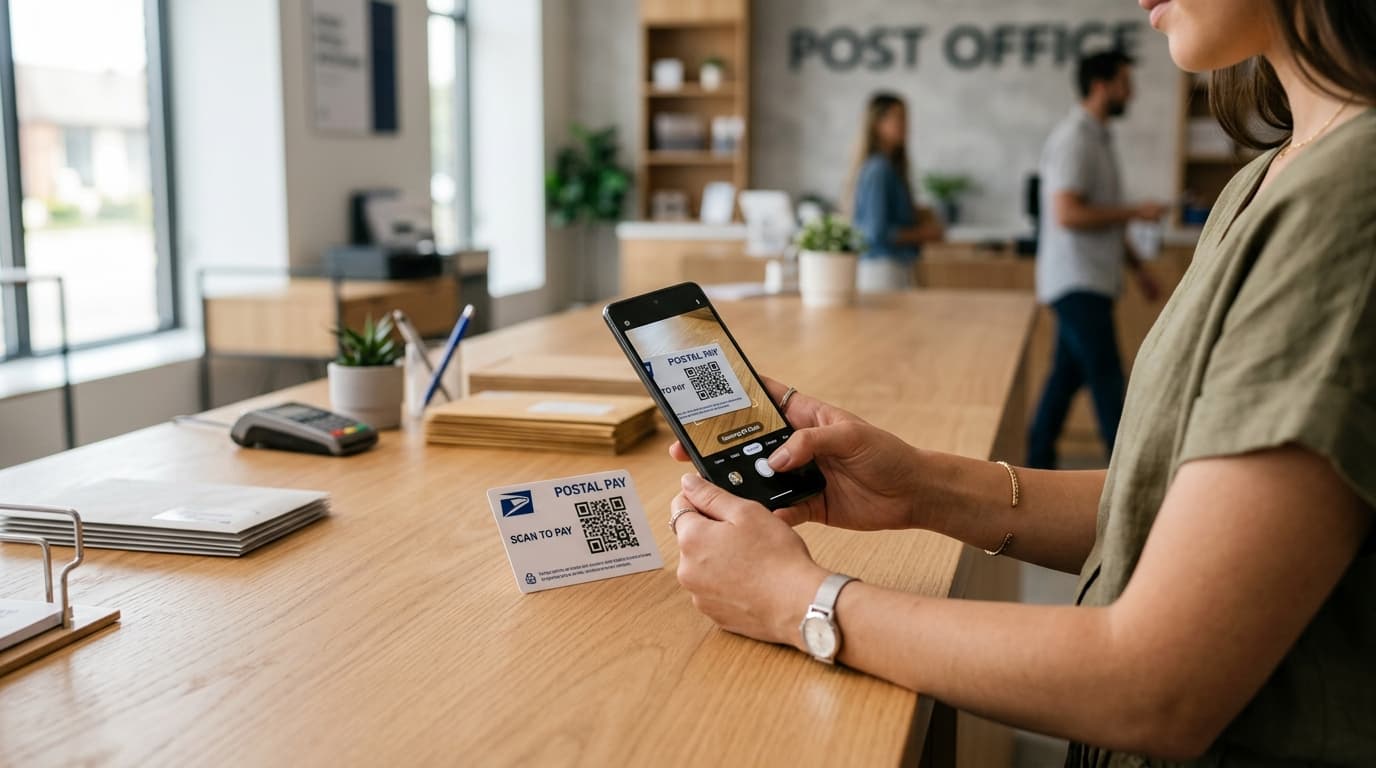
Search this question and you will find guides telling you to press your thumb on a fingerprint reader. India Post Payments Bank's own page says nothing of the sort — it says a transaction on the card is cleared by an OTP and a valid identity document. Those guides were written in 2018 and never touched again, and they are still near the top of the results.
That matters because "IPPB QR code" is not one thing. It can mean the card in your wallet with a square of pixels where a card number should be, the sticker taped to a shop counter, or the code you generate to collect money from someone. Each one is scanned by a different person, on a different app, cleared by a different method. This guide separates them, walks through the steps for each, and corrects the claims the older pages keep repeating.
How to Scan an IPPB QR Code: First, Identify Which Code You Have
Before you open any app, work out which of these four things you are actually holding. Half the confusion around scanning IPPB codes comes from people applying the wrong set of instructions.
| What you have | Who does the scanning | What clears the transaction |
|---|---|---|
| IPPB QR Card — a card with a QR where the number would be | Counter staff, a postman, or an IPPB merchant | OTP plus an Officially Valid Document |
| A merchant's payment QR — counter sticker, standee, or bill | You, inside DakPay or the IPPB app | Your UPI-PIN |
| Your own collect QR — to receive money | The person paying you, in their own UPI app | Their UPI-PIN |
| Any of the above, in a generic scanner app | You | Nothing — you get a raw string of characters |
The single most common mistake is treating the first row like the second. Your QR card is an identifier, not a payment instrument you point your phone at. More on why in a moment.
What the IPPB QR Card Actually Is
India Post Payments Bank launched in September 2018 across roughly 155,000 post offices, and it did something no other Indian bank had done at scale: it shipped accounts without a conventional debit card.
Instead of a magnetic stripe or an EMV chip, account holders get a card carrying a printed QR code on the front. The code identifies the account. There is no long number to memorise, no PIN pad to shield with your hand.
Why there is no card number
A payments bank operates under tighter rules than a full commercial bank, and its customers are heavily rural and first-time banking users. A card you can hold up to a phone camera removes two barriers at once: the customer does not need to remember credentials, and the merchant does not need point-of-sale hardware. IPPB states plainly that the card requires no expensive PoS infrastructure — a phone running its app is the terminal.
What it replaces, and what it does not
According to the bank, the card can be used across:
- Cash transactions at IPPB counters
- Money transfers
- Bill payments
- Cashless shopping at IPPB merchants
It is accepted at all IPPB counters and by IPPB merchants, and the bank describes issuance as instant. What it is not is a Visa or Mastercard debit card — you cannot tap it at an unrelated shop, use it in an ordinary ATM, or enter its details on a shopping website.
Who Scans the IPPB QR Card — and Why It Is Not You
This is the part the old guides get structurally wrong. The QR card is scanned at you, not by you. You present it; someone with the bank's app reads it.
At a post office counter
You hand the card over, the counter operator scans it in the IPPB application, your account is pulled up, and the deposit, withdrawal, or transfer proceeds once authentication clears. The counter channel is an assisted one, which is why it carries its own transaction ceiling, covered further down.
At your doorstep
IPPB's doorstep model is the reason the bank exists in its current form. A postman or Grameen Dak Sevak arrives with a handheld device, scans the card, and completes the transaction in your home. The 2020 DakPay launch, announced by the Press Information Bureau, framed exactly this combination — app-based payments plus home delivery of financial services, with customers free to transact themselves or be served in person.
At an IPPB merchant
A merchant running the IPPB Merchant app can collect from you in one of three ways: your account number plus OTP, your scanned QR card plus OTP, or your Aadhaar number plus OTP. In each case the merchant initiates and you authorise.
How a QR Card Transaction Is Authorised
Here is where accuracy matters most, because getting this wrong changes what you expect to happen at the counter.
IPPB describes the sequence in three steps:
- The code is scanned.
- Authentication happens through OTP verification and validation of an Officially Valid Document (OVD).
- The transaction completes.
No PIN. No password. The bank's reasoning for why a lost card is not a disaster follows directly from this: a stolen card alone cannot move money, because every transaction needs the OTP that lands on your registered mobile number plus a document check.
Documents accepted as an OVD
IPPB lists the following as valid:
- Passport
- Driving licence
- Voter's identity card
- PAN card bearing a photograph, supported by address proof under the bank's policy
- NREGA job card
- Letter from the National Population Register showing name and address
- Aadhaar card
Carry one of these when you expect to transact on the card. Turning up with only the card is the most ordinary reason a counter visit stalls.
Why the "fingerprint" guides are out of date
Several high-ranking explainers published around the 2018 launch describe the card as biometrically authenticated — scan the code, press a finger, done. The bank's current QR card page makes no mention of fingerprints. It specifies OTP and OVD.
How to Scan a QR Code to Pay from Your IPPB Account
This is the flow most people are searching for: a code on a shop counter, and money in an IPPB account. Here you are the one scanning.
Before your first scan
Registration has to happen once, and it has a few traps:
- Register in the app and link your bank accounts before attempting any transfer.
- Create a UPI-PIN of four or six digits during setup. If you already have a UPI-PIN from another app, you can use the same one.
- Do not try to use the bank-issued MPIN. It is a different credential and will not work for UPI — a fresh UPI-PIN has to be generated in the app.
- Keep your debit card to hand. Generating a Virtual Payment Address (VPA) requires it.
- One VPA can carry several linked bank accounts. Wallets and credit cards cannot be linked.
- If your account does not appear during linking, the mobile number attached to that account must match the number verified in the app.
Scanning and paying
Once you are registered, the sequence is short:
- Open the app and choose the scan option.
- Frame the merchant's code in the viewfinder and hold still until it locks focus.
- Check the payee name the app displays against the shop you are standing in.
- Enter the amount if the code is static. A dynamic QR carries the amount already.
- Select which linked account to debit, if you have more than one.
- Enter your UPI-PIN to approve.
Payments settle instantly and the rail runs around the clock. One consequence worth internalising: a UPI payment cannot be recalled once initiated. Verify the payee name before the PIN, not after.
For an online purchase there is no code to scan at all. You select UPI at checkout, enter your payment address, then approve the resulting collect request inside the app with your UPI-PIN. The window for approving that request is set by whoever raised it.
When the scan will not read
Work through these in order:
- Camera permission is off: The scanner cannot open without it. Check app permissions in your phone settings.
- The printed code is damaged: A crease, a smudge, or a tear through the pattern can defeat it. Ask the merchant for a second copy or pay to their UPI ID instead.
- Glare: Laminated and plastic-sleeved codes bounce overhead light straight back. Change your angle rather than your distance.
- Too close: Most phones need roughly 15 to 20 cm to focus on a counter-sized code.
- Wrong PIN entered: A single wrong UPI-PIN fails that transaction. Repeated wrong entries can get UPI sending temporarily blocked by your bank.
- Forgotten PIN: Regenerate it using the last six digits of your debit card and its expiry date.
Which IPPB App to Install
Search "DakPay" on Google Play and you will find more than one listing, including an older package and a newer one labelled "DakPay UPI by IPPB - New." Installing the wrong one and wondering why registration loops is a genuinely common waste of an afternoon.
Three apps serve three different purposes:
- DakPay UPI — the consumer UPI app. Scan and pay, send to a VPA or to an account number with IFSC, request money from contacts, check balance.
- IPPB Mobile Banking — the bank's own app, with higher transaction ceilings.
- IPPB Merchant — for accepting payments, not making them.
Install from the Play Store or App Store listing that IPPB links from its own site rather than from an unverified search result or a forwarded APK. Payments apps are a favourite target for lookalike listings.
A practical note on changing devices: if you switch handsets, you reinstall and register again through mobile verification, and your VPA is restored automatically. Changing your SIM, your phone, or the app all require re-registration.
How Much You Can Send After Scanning
The app itself sets no ceiling. Your bank does, and IPPB's ceilings vary by channel — which surprises people who assume one UPI limit applies everywhere.
| Channel | Per transaction | Per day | Transactions per day |
|---|---|---|---|
| IPPB Mobile Banking app | ₹25,000 | ₹50,000 | 20 |
| DakPay app (linked IPPB savings) | ₹10,000 | ₹20,000 | — |
| Micro-ATM (assisted) | ₹10,000 | ₹20,000 | 20 |
| Post office counter (assisted) | ₹10,000 | ₹20,000 | 20 |
Minimum per transaction across channels is ₹1. A few other caps are worth knowing before they catch you mid-payment:
- Collect requests are capped at ₹2,000 per transaction.
- New users face a cooling period: up to ₹5,000 in total during the first 24 hours.
- Balance enquiries are limited to 50 per day per app, and linked-account views to 25.
- Checking a pending transaction's status allows three attempts, with a 90-second gap between them.
If your DakPay account sits with a different bank rather than IPPB, that bank's third-party UPI limits apply instead of these.
Two timing rules cover the outcomes people panic about. If a payment fails but the money has left your account, the reversal normally lands within three to five working days. If a payment shows as pending after being debited, the delay is at the receiving bank, and the amount should arrive within 48 hours.
How to Show Your Own IPPB QR Code to Get Paid
Receiving is the mirror image: you display, they scan.
For personal payments
DakPay generates a dynamic QR you can show to anyone with a UPI app. The payer scans, their app resolves your VPA, and the money pushes straight through. Nothing to approve on your side — push payments need no action from the recipient.
For a business
The IPPB Merchant app is the proper route if you are taking payments regularly. Onboarding runs in three steps: open an IPPB savings account, download the app and sign up with the mobile number registered to that account, then start accepting.
What you get: unlimited transactions, instant SMS alerts, a sales dashboard, settlement directly into your IPPB account, and the ability to issue instant refunds for disputes or duplicate payments. IPPB describes the app itself as free; check the bank's Rates and Charges page for anything transaction-related before you commit.
What Happens If You Scan an IPPB QR Code With a Normal Camera App
Nothing useful, and understanding why saves you from a bad assumption.
Your phone camera or a third-party scanner will read the pattern perfectly well. The pattern is not encrypted. What it contains, though, is an internal account identifier — not a web address, not a balance, not a statement. A generic scanner hands you a string of characters it cannot interpret and has no way to act on.
So remember:
- Scanning your own QR card at home will not show you your balance. Use the app, a missed call to the balance-enquiry number, or SMS banking for that.
- A merchant's payment QR read in a generic scanner may resolve to a UPI intent link, but completing the payment still requires a UPI app and your PIN.
- Nobody can drain your account simply by photographing your QR card, because the code is only the first of three steps. The OTP and the document check are the other two.
This is also the clearest way to see why the card is safe to hand over at a counter and unwise to post on social media — not because the code is a key, but because it identifies your account to anyone building a convincing phishing call.
If Your QR Card Is Lost or Stolen
Report it promptly rather than waiting to see whether anything happens:
- Call 155299, or 033-22029000 from a number where the toll-free line will not connect (telecom charges may apply on the second number).
- Or visit your nearest post office or IPPB branch.
- Email contact@ippbonline.in for written follow-up.
Ask about the reissuance charge when you report — figures circulating on third-party sites are years old, and the bank publishes current charges on its own Rates and Charges page.
If you lose the phone rather than the card, block the mobile number first. Your app access is protected by a passcode or device biometrics, and every UPI payment still needs the UPI-PIN, which the app neither stores nor reads. But the OTP route runs through that SIM, so blocking it closes the gap that matters.
Why Printed QR Codes Fail to Scan at All
Plenty of failed scans have nothing to do with banking. The code itself is badly made — and if you ever print a QR code for your own shop, invoice, or poster, the same handful of mistakes will cost you payments.
The usual culprits:
- No quiet zone: A QR code needs clear margin on all four sides. Crop it tight to the artwork and scanners lose the frame.
- Low contrast: Dark code on a light background reads. Mid-grey on beige, or a code sitting over a photograph, does not.
- Printed too small for the distance: A code read from two metres needs to be far larger than one on a countertop.
- Error correction set too low: Higher levels let a code survive scuffs and partial damage, at the cost of density.
- Never tested: Phones differ. A code that scans on the designer's handset can fail on a five-year-old budget Android.
We wrote a longer checklist on this: our guide to QR codes that actually scan covers sizing, contrast, margins, and error correction in order. If you need to produce one for your own business or counter, our free QR code generator exports high-resolution PNG and SVG up to 2048px with customizable error correction, logo placement, and no watermark. If you want links that can be redirected even after printing, run them through our URL shortener first.
Frequently Asked Questions
Can I scan my own IPPB QR card to check my balance?
No. The code identifies your account to the bank's systems — it does not contain your balance and will not open an app that can show it. Use DakPay or IPPB Mobile Banking, the missed-call balance enquiry service, or SMS banking instead.
Does scanning an IPPB QR code need a fingerprint?
Not for the QR card. IPPB specifies OTP verification plus validation of an Officially Valid Document (OVD). Guides describing fingerprint authentication on the card date from around the 2018 launch. Biometric authentication does exist in IPPB's Aadhaar Enabled Payment System (AePS) services, which is a different rail.
Which app do I use to scan and pay from my IPPB account?
DakPay UPI for everyday scan-and-pay, or the IPPB Mobile Banking app if you need higher limits. The Merchant app is for receiving payments, not making them. Install from the listing IPPB links on its own site — several similarly named apps exist.
Why does my IPPB QR card not work at other shops?
Because it is not a Visa or Mastercard debit card. It is accepted at IPPB counters and by merchants running IPPB's own app. An ordinary point-of-sale terminal cannot read it and has no way to route the transaction.
What is the IPPB UPI limit after I scan a code?
On DakPay with a linked IPPB savings account, ₹10,000 per transaction and ₹20,000 per day. The IPPB Mobile Banking app allows ₹25,000 and ₹50,000 respectively, across up to 20 transactions a day. Assisted channels match the DakPay figures.
Can I use my existing UPI PIN in DakPay?
Yes. A UPI-PIN you already created in another UPI app works here. What does not work is the bank-issued MPIN — that is a separate credential, and a UPI-PIN has to be generated in the app before your first payment.
I scanned and paid the wrong person. Can the payment be stopped?
No. A UPI payment cannot be halted once initiated. This is why the payee name shown after the scan deserves a look before you enter your PIN. If money was debited for a transaction that failed, expect reversal in three to five working days.
Is it risky if someone photographs my IPPB QR card?
The code alone cannot move money, since OTP and document validation stand between a scan and a completed transaction. It does identify your account, though, which is useful material for a phishing caller. Treat it like an account number: fine to present at a counter, not something to post publicly.
How do I get a QR code for my own shop to accept IPPB payments?
Open an IPPB savings account, install the IPPB Merchant app, and sign up using the mobile number registered to that account. Customers then scan and pay in push mode, and you can also collect using a customer's account number, scanned QR card, or Aadhaar number with OTP.
Sources and Official References
Related reading
How to Generate a UPI QR Code
How to generate a UPI QR code from your UPI ID, with a fixed amount, in BHIM, or for a current account, plus the settings that decide whether it works in every app.
The Uitly Team
How to Scan a Snapseed QR Code (and How to Open Gallery Codes)
How to scan a Snapseed QR code, including the long press gallery workaround, saving looks, creating your own, and why a scanned look looks different on your photo.
The Uitly Team
How to Scan a Cadbury Celebrations QR Code (and What It Will Actually Do)
How to scan a Cadbury Celebrations QR code, what each campaign code does, why there is no prize code inside the box, and how to tell if a campaign is still live.
The Uitly Team