
How to Scan a KitKat QR Code (and Why Scanning Alone Pays You Nothing)
How to scan a KitKat QR code, why the code on the pack pays nothing by itself, where the code inside the wrapper is, and how to spot a fake offer site.
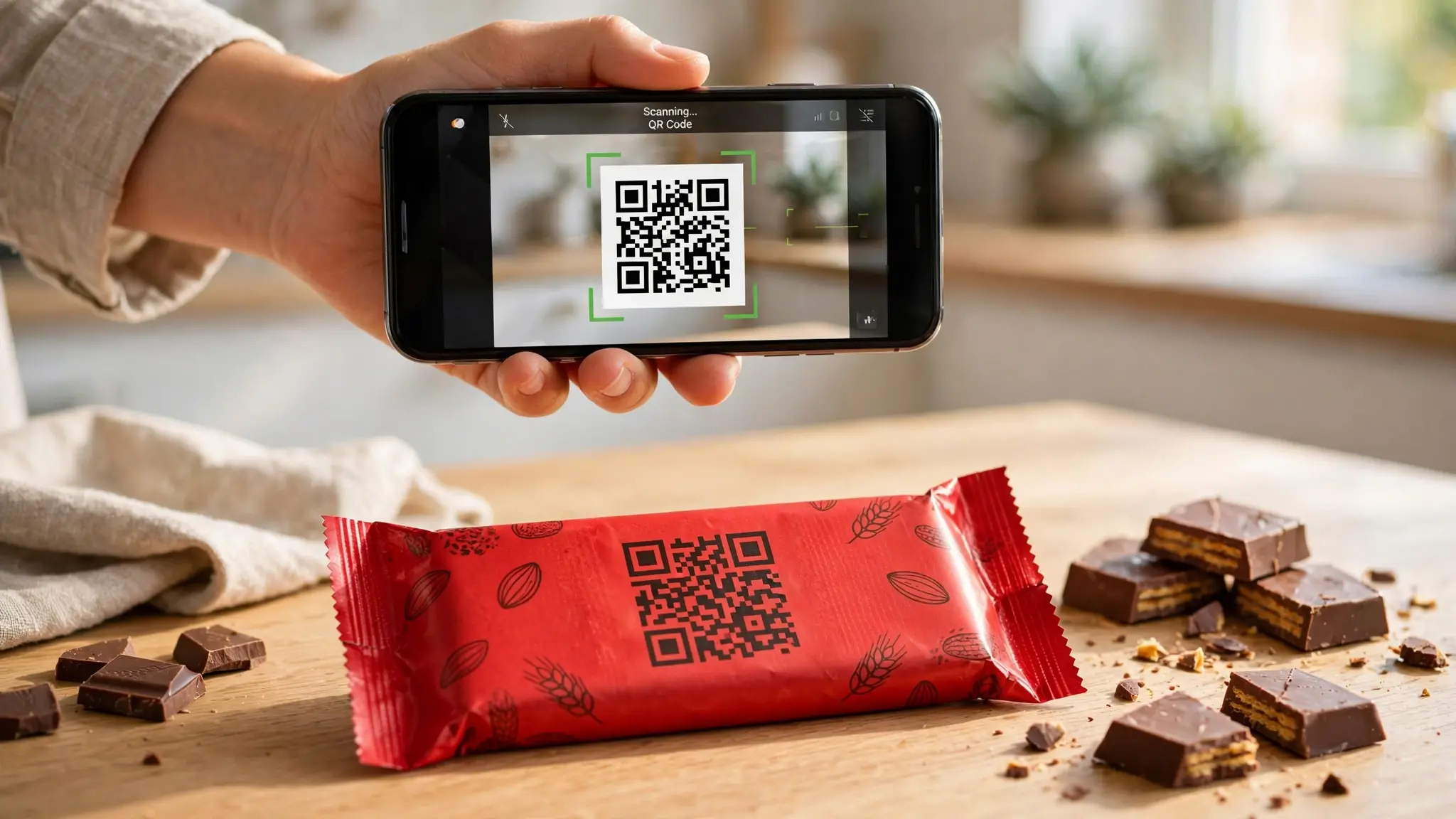
Buy the pack, spot the little square on the front, scan it, and wait for the cashback that never arrives. If that is roughly how your afternoon went, nothing is broken. You scanned the right code. It simply is not the code that pays.
That gap between what people expect a KitKat QR code to do and what it actually does is where almost all the confusion on this topic lives. There are at least four different codes wearing the name, they do four different jobs, and the one most people are hunting for is not a QR code at all. This guide separates them, walks through the scan properly, explains where the code that actually matters is hiding, and covers the part no one writes down: how to tell a real KitKat promotion site from a fake one.
How to Scan a KitKat QR Code: Four Codes, Four Jobs
Work out which one you are holding before you lift your phone.
| The code | Where it is | What scanning does |
|---|---|---|
| Promotional QR | Front of Indian promo packs | Opens the offer page, or the app store. Pays nothing by itself |
| Unique or lot code | Inside the wrapper, or under the seal | This is the one that pays. It is printed text, not a square |
| Scan and Win entry QR | On packs in some African markets | Starts an entry into a prize draw |
| Accessibility QR | UK multipacks | Reads out allergens and ingredients. Nothing to win |
Only the second row puts money anywhere. The first row is a shortcut to the website where you will type the second row.
And if you arrived here looking for Android 4.4, the operating system that shared the name, skip to the section near the end. That is a genuinely different question.
The QR on the Pack Is Not Your Prize
Google's own help page for the KitKat offer is unusually clear about this, and almost every guide that copies it leaves the clarity out.
Scanning the QR code on the front of the pack does one of two things. It opens the KitKat offer page inside Google Pay, or, if you do not have the app, it sends you to the App Store or Google Play to download it. That is the entire function. It is a signpost.
The reward comes from a nine character code made of letters and numbers, printed inside the wrapper. You enter that code separately once you are on the offer page. No code, no cashback, however many times you scan the square on the front.
This single fact resolves most "KitKat QR code not working" complaints. The code worked. It took you where it was supposed to take you. The thing you still needed was inside the wrapper you may have already thrown away.
Scanning the Promotional QR, Step by Step
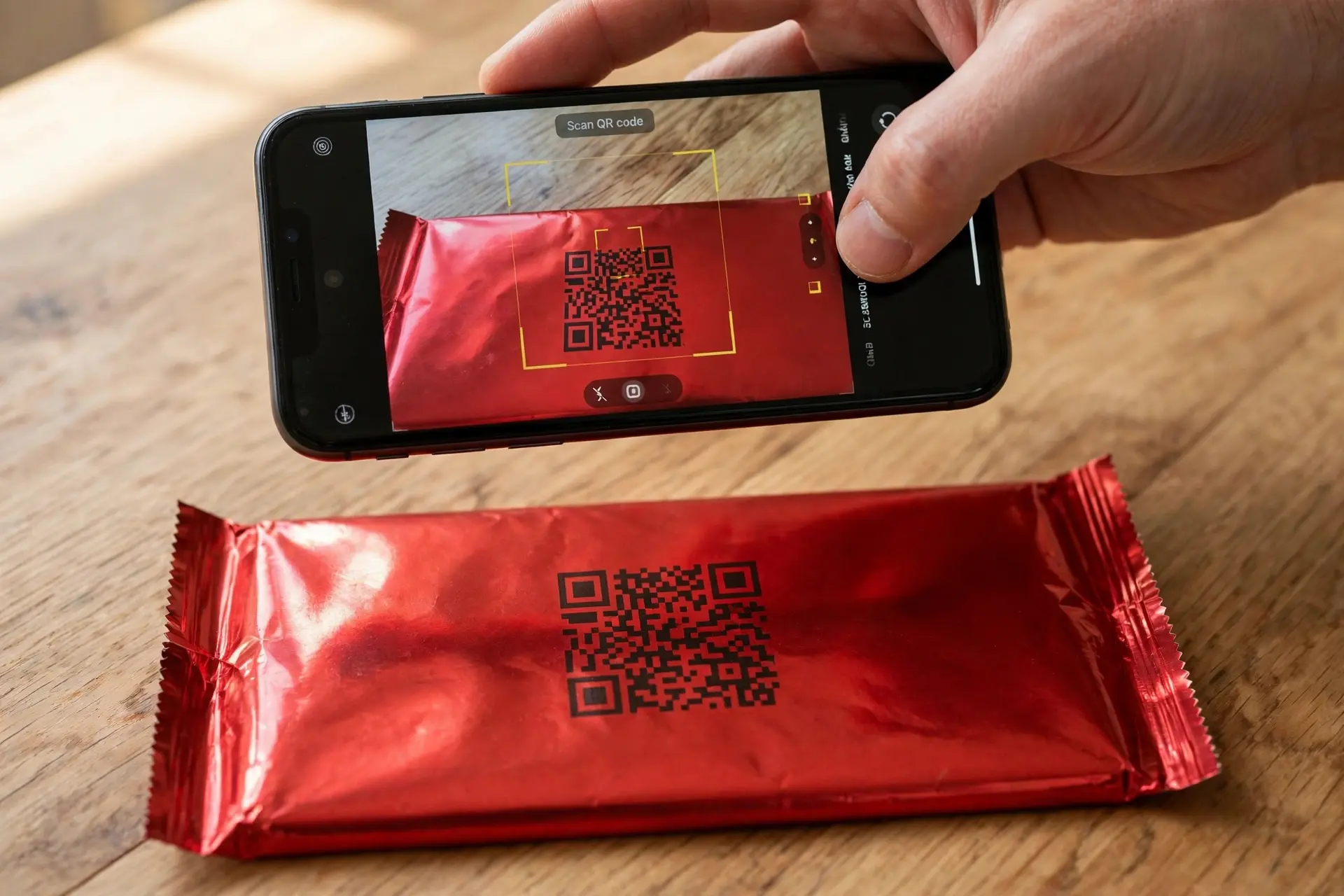
- Check the pack qualifies. For the Google Pay offer, that meant a ₹10 red and blue pack carrying the Google Pay logo. A pack without the promotional branding has no code in it.
- Open your phone camera. Most recent Android and iPhone cameras detect QR codes with no extra app. If yours does not react, switch on QR scanning in the camera settings or use a scanner app.
- Hold the pack still and flat. Foil wrappers crease and catch light, which is the most common reason a pack code refuses to read. Smooth it against a table.
- Check the link before you tap it. Look at the domain your phone previews. More on why this matters below.
- Land on the offer page, then go looking for the code inside.
If your camera cannot get a lock, you can skip the square entirely. Open Google Pay, tap Offers on the home screen, and find the KitKat offer there. The QR code is a convenience, not a requirement, which is worth knowing when the wrapper is too crumpled to scan.
Finding the Code That Actually Pays
Where it is printed
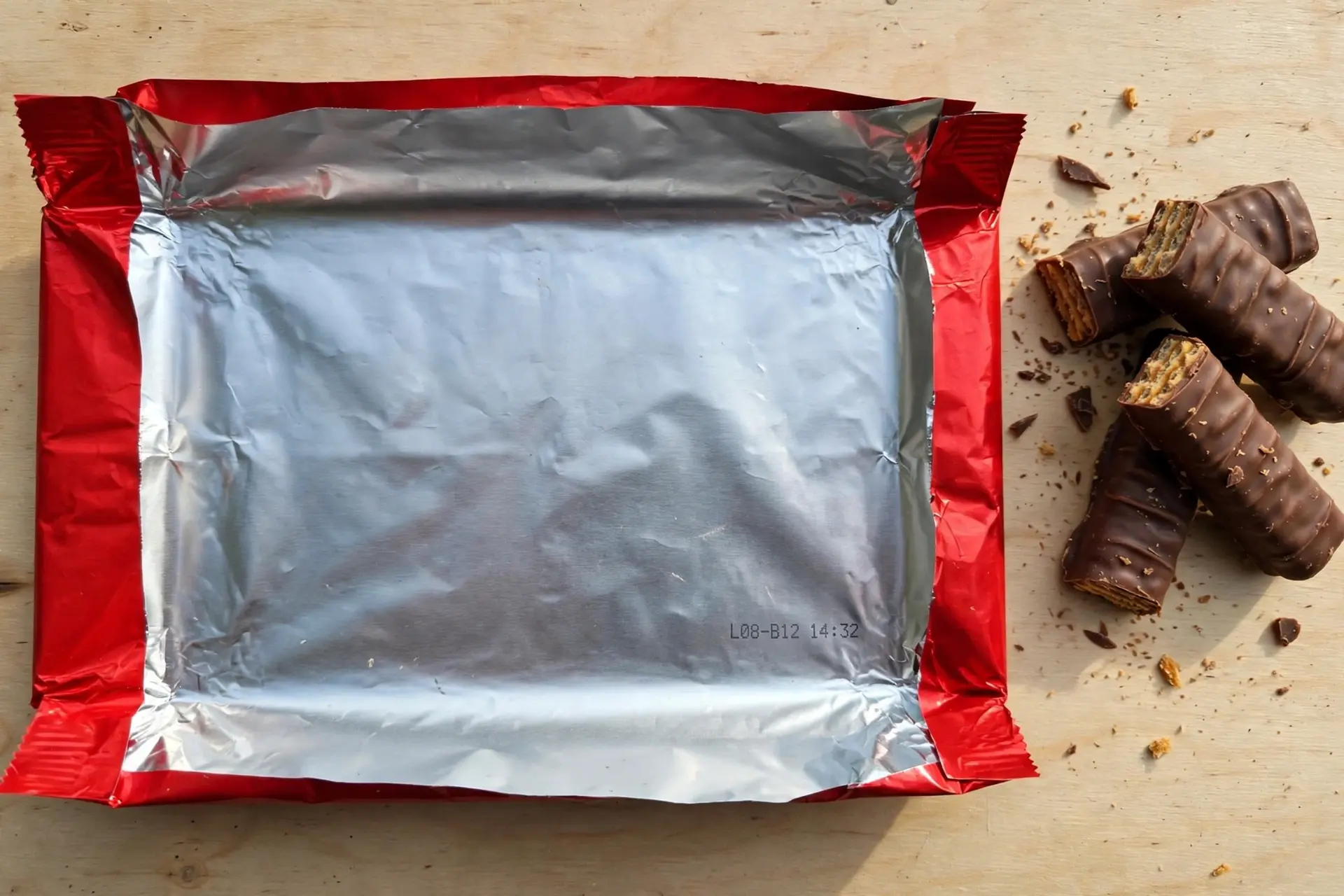
Inside the wrapper. Depending on the campaign it sits on the inner face of the wrapper, or under the sealed edge, which means you have to open the pack properly to see it. Tearing straight down the middle can split the code in half and leave you with nothing readable.
Open the wrapper flat before you eat the chocolate, not after.
Entering it
On the Google Pay offer the flow ran like this: tap Enter code, then either type the nine characters or tap Scan with camera to read them optically. Then tap Claim Reward.
What you get is a digital scratch card rather than instant money.
The scratch card catch
Two timing rules caught people out, and both are easy to miss.
The scratch card had to be redeemed within seven days of any transaction on Google Pay. Not seven days from claiming it. It is tied to you actually using the app.
And cashback expired after 45 days if you never scratched the card, if you had no bank account linked, or if something was wrong with the linked account. The reward needs a UPI enabled bank account attached to Google Pay before it has anywhere to land.
Amounts ran from ₹5 to ₹10 per code, one use per code, one redemption per code for the whole campaign.
QR Code, Lot Code, Unique Code: Three Different Things
This is where the guides fall apart, because the words get used interchangeably when they mean different things.
- QR code: the square. Scannable. Usually just a link.
- Unique code: a one time code tied to your individual pack. Nine characters on the Google Pay offer. This is what pays you.
- Lot code or batch code: a manufacturing identifier shared across a production run. Some promotions ask for this instead.
They are not interchangeable, and entering one where another is expected produces an error that looks like the promotion is broken.
One widely shared page on the KitKat Formula 1 promotion manages to contradict itself inside a single article: the body tells readers to claim the lot code from inside the wrapper, while its own FAQ says to scan a QR code on the back of the pack and then enter a lot number. It never resolves which is correct. If your source cannot keep these straight, treat the rest of its instructions carefully.
Every Campaign Has Its Own Website, and That Is the Problem
Here is the part that matters most, and I have not seen it said anywhere.
KitKat promotions in India do not run on one address. Each campaign gets its own, and they are genuinely odd looking domains. The Formula 1 promotion collected codes at breakbetweenlaps.woohoo.in. A cashback campaign ran at takeabreakcashback.woohoo.in. An earlier one took entries at cashbackoffer.bigcityexperience.com. The Google Pay offer happened entirely inside the Google Pay app.
None of those look like nestle.com, and all of them were real.
That is exactly the condition fraud thrives in. Shoppers have been trained to accept that claiming chocolate cashback means typing an unfamiliar domain, entering a phone number, and verifying an OTP. A fake version of that page costs nothing to build.
Four habits keep you safe:
- Reach the site through the pack, by scanning its own QR code or typing the address printed on the wrapper. Not through a search result, a forwarded WhatsApp message, or a deals blog.
- Compare the domain to the wrapper. If the printed address and the page you landed on do not match, stop.
- Never enter a UPI PIN. Legitimate cashback is paid into your account. Any page asking you to authorise a payment or approve a collect request is taking money, not giving it.
- Be suspicious of extras. A genuine promotion asks for a code, a number, and an OTP. It does not need your card details, your bank login, or a fee to release a prize.
Is Your Promotion Still Running?
Check this before you go hunting for a code, because the answer is often no.
Every one of these campaigns is time boxed, and the pages describing them stay online and keep ranking long after they close. The Google Pay offer ran from 10 January to 10 March 2025. The Formula 1 promotion ran 1 August to 15 September 2026. An earlier cashback campaign ran 10 June to 10 August 2024. A Scan and Win draw ran 1 April to 30 May 2025.
A guide written during any of those reads exactly the same today as it did then.
Three quick checks:
- The wrapper is the authority. Promo packs carry the campaign branding and usually the dates. An ordinary pack has nothing to claim.
- Look for the offer end date on the entry page itself, not in the blog post that sent you there.
- If the entry site is dead or the code is rejected as invalid, the campaign has very likely ended rather than the code being faulty.
Why Tamil Nadu Gets a Different Offer
You will notice Tamil Nadu singled out in the terms of almost every Indian promotion, and there is a legal reason rather than an arbitrary one.
The Tamil Nadu Prize Schemes (Prohibition) Act, 1979 bans schemes and contests where winners are picked by lot, draw, or any other chance based method. It covers online contests run for participants in the state as well as offline draws, and penalties run to imprisonment of three months to three years.
So brands adapt. On the Google Pay offer, Tamil Nadu participants received a flat ₹5 on every ₹10 pack rather than the variable ₹5 to ₹10 that applied elsewhere, which removes the element of chance. On the Formula 1 promotion, entrants from Tamil Nadu had to answer a skill based question of up to 300 words. Many national promotions skip the problem entirely and exclude the state, which is why you so often see "not applicable to customers in Tamil Nadu" buried in terms.
None of that is a glitch in the offer. If you are in Tamil Nadu and the mechanics look different, they are supposed to.
Scan and Win Draws Outside India
Not every KitKat QR code leads to cashback. In parts of Africa, Nestlé has run Scan and Win prize draws where the QR code starts an entry rather than paying anything.
A Mauritius promotion gives the clearest picture of the mechanics. Entrants scanned the QR code or sent "Hi" to a shortcode, then submitted a photo of the receipt and a photo of a valid National Identity Card. Entries scaled with what you bought, so two 2 Finger packs earned one entry while a festive box earned four. Prizes included travel packages and vouchers, with winners drawn automatically under gaming authority supervision and claims made by phone with the original receipt.
Two things to take from that. Entry needs proof of purchase, so keep the receipt. And terms are written per country, so South African terms for the same campaign name are a separate document from the Mauritian ones. Read the version for where you live.
The Accessibility QR Code on UK Packs
This one is not a promotion at all, and it is the most genuinely useful code of the four.
Nestlé Confectionery has trialled accessible QR codes on KitKat two finger multipacks and across the Quality Street range, built on Zappar technology. Scanning gives structured product information: allergens, dietary suitability, and usage instructions, presented in large fonts and read aloud through screen reader support. The RNIB noted it also describes the shape and colour of each sweet, which matters for a tin of mixed chocolates.
It is aimed at blind and partially sighted shoppers, a group numbering around 340,000 people registered in the UK, and it works with the apps that community already uses so nothing extra needs installing.
If you scanned a UK multipack expecting a prize and got an ingredients list, that is why.
What the Error Messages Actually Mean
Each message points at a different cause.
"Something went wrong, please re-enter the code." A transient failure. Wait a little and try again.
"Invalid code." The code does not exist in the system. Either you have misread a character, or the pack is from an older run that is not part of the current promotion. Check for the usual suspects first: 0 against O, 1 against I, 5 against S.
"Someone has already entered this code." The code has been used. On loose packs sold from an open box this occasionally means someone read the code through the wrapper or the pack was tampered with. There is nothing to recover on that specific code.
Missing, Smudged or Dead Code: Your Official Recourse
Most guides end at "buy another pack." There is an actual process.
If a promotional pack has no code, or the code is incomplete, unreadable, or inactive, Nestlé India takes these directly:
- Phone: 1800 103 1947, Monday to Friday, 10:00 to 18:30
- Email: wecare@in.nestle.com
Set expectations accordingly. The published remedy is a replacement code so you can take part, nothing more. They may ask for proof such as the purchased pack, so keep the wrapper rather than binning it. No monetary compensation is offered, and that is stated in the terms rather than being a brush off from whoever answers.
Scanning a QR Code on Android KitKat 4.4
Different KitKat entirely. Android 4.4, released in 2013, carried the name under Google's old confectionery naming scheme, and a fair number of people searching this phrase are holding an old handset rather than a chocolate bar.
The short answer: the stock camera on Android 4.4 does not detect QR codes. Built in camera scanning and Google Lens arrived on far newer releases, so on a KitKat era device you need a dedicated scanner app from the Play Store.
Two practical warnings for anyone on hardware that old. Many current scanner apps require a newer Android version and simply will not install. And a device on an operating system from 2013 has not received security patches in many years, so it is a poor choice for scanning codes that lead to payment pages or ask for personal details. If the scan is for anything involving money, borrow a newer phone.
Why QR Codes Fail to Scan at All
Plenty of failures have nothing to do with the brand or the campaign. The code is badly printed, or badly displayed, and the same handful of causes come up every time:
- No quiet zone. A QR code needs clear margin on all four sides. Crop it tight to the artwork and scanners lose the frame.
- Low contrast. Dark on light reads reliably. Mid tones, or a code printed over a busy background, often do not.
- Printed too small for the distance. A code meant to be read across a room has to be much larger than one on a wrapper.
- Error correction set too low. Higher levels let a code survive creases, scuffs and partial damage, which matters enormously on foil packaging.
- Never tested on a real phone. A code that scans on a designer's handset can fail on an older budget device.
We put together a fuller checklist on this: our guide to QR codes that actually scan covers sizing, contrast, margins and error correction in order. If you need to make one yourself, our free QR code generator exports PNG and SVG up to 2048px with adjustable error correction and no watermark. If you need dynamic links that can be redirected even after the wrapper is printed, run them through our URL shortener first.
Frequently Asked Questions
I scanned the KitKat QR code and nothing happened. Why?
Most likely nothing was supposed to happen. On Indian promotional packs the QR code on the front only opens the offer page or the app store. The reward comes from a separate code printed inside the wrapper, which you enter once you are on that page. Open the wrapper and look for a short string of letters and numbers.
Where is the KitKat code printed?
Inside the wrapper, either on the inner face or under the sealed edge, depending on the campaign. Open the pack flat rather than tearing it down the middle, because a torn code cannot be recovered.
How many characters is the KitKat code?
On the Google Pay offer it was nine characters, letters and numbers combined. Other campaigns have used different formats, so go by what the wrapper says rather than assuming a length.
Can I scan a KitKat code instead of typing it?
Yes, on the Google Pay offer there was a "Scan with camera" option that read the printed code optically rather than making you type it. That is reading printed text, not a QR code.
Why did I only get ₹5 when the offer said ₹10?
If you are in Tamil Nadu, that is the designed behaviour. The offer paid a flat ₹5 per pack there instead of a variable ₹5 to ₹10, because the Tamil Nadu Prize Schemes (Prohibition) Act, 1979 prohibits chance based prize selection.
My KitKat code says invalid. What now?
Check for misread characters first, particularly 0 against O and 1 against I. If it still fails, the pack is probably from a run outside the current promotion, or the campaign has ended. For a pack that genuinely should carry a live code, contact Nestlé India on 1800 103 1947 or wecare@in.nestle.com.
How do I know a KitKat offer website is genuine?
Reach it from the pack itself, by scanning its QR code or typing the address printed on the wrapper, and compare the domain you land on with the printed one. Genuine campaigns do run on unusual third party domains, which is exactly why you should verify rather than trust a link from search results or a forwarded message. No legitimate cashback offer ever asks for your UPI PIN.
Is the KitKat cashback offer still running?
Check the pack, not a blog post. These campaigns run for fixed windows and the articles describing them stay online afterwards. If an entry site is dead or rejects a code as invalid, the promotion has almost certainly closed.
How do I scan a QR code on an Android KitKat phone?
Android 4.4 has no built in camera QR scanning, so you need a scanner app from the Play Store. Be aware that many current scanner apps will not install on an operating system that old, and that a device without years of security updates is a bad choice for scanning anything that leads to a payment page.
Sources and Official References
Related reading
How to Generate a UPI QR Code
How to generate a UPI QR code from your UPI ID, with a fixed amount, in BHIM, or for a current account, plus the settings that decide whether it works in every app.
The Uitly Team
How to Scan a Snapseed QR Code (and How to Open Gallery Codes)
How to scan a Snapseed QR code, including the long press gallery workaround, saving looks, creating your own, and why a scanned look looks different on your photo.
The Uitly Team
How to Scan a Cadbury Celebrations QR Code (and What It Will Actually Do)
How to scan a Cadbury Celebrations QR code, what each campaign code does, why there is no prize code inside the box, and how to tell if a campaign is still live.
The Uitly Team